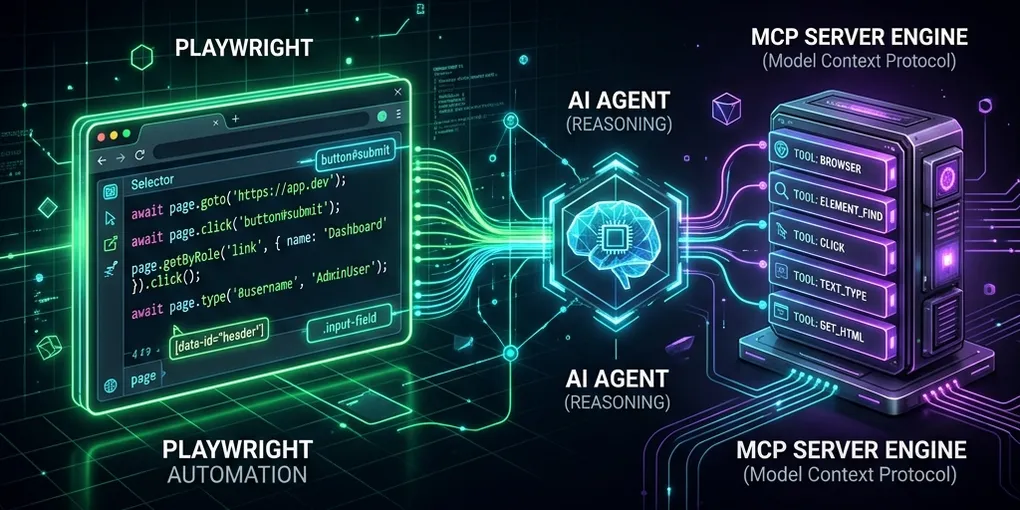
Automating the Web: Building Playwright-Powered MCP Servers Controlled by Agent Skills

Many of the platforms developers interact with daily—whether it’s corporate HR portals like Keka, job boards like Naukri, professional networks like LinkedIn, or broker platforms like Zerodha—lack open public APIs. For platforms that do offer them, they are often heavily restricted or prohibitively expensive.
To bridge this gap, we can leverage Playwright to build robust browser automation scripts that programmatically execute user interactions.
By wrapping these automation scripts as Model Context Protocol (MCP) tools, we transform local scripts into capabilities that our AI coding assistants can natively invoke. However, giving an LLM access to a browser engine without strict guardrails is a recipe for chaos.
To ensure safe, deterministic execution, we must govern these Playwright tools using version-controlled Agent Personas (agent.md) and Agent Skills (.agents/skills/*.md).
In this guide, we will walk through the architecture of a Playwright-powered MCP server, show you how to write the integration, and explain how to lock down agent behaviors using markdown configurations.
🏗️ The Browser-Agent Architecture
Rather than letting the AI assistant write and run arbitrary scripts at runtime, we pre-bake structured Playwright scripts in our repository. The MCP server acts as the interface, exposing these scripts as tools, while local markdown files act as the policy engine.
The orchestration workflow behaves as follows:
    +--------------------------------------------------------+
    |                    User Interface                      |
    +---------------------------+----------------------------+
                                |
                                v
    +---------------------------+----------------------------+
    |                   Agentic AI Assistant                 |
    |                                                        |
    |  1. Aligns with Persona (.agents/agent.md)             |
    |  2. Evaluates Safety Constraints (.agents/skills/*)    |
    |  3. Formulates parameter-validated Tool Payload        |
    +---------------------------+----------------------------+
                                |
                                v
    +---------------------------+----------------------------+
    |                   FastMCP Tool Server                  |
    |                                                        |
    |  1. Validates inputs using Pydantic models             |
    |  2. Spawns Playwright Python script as a Subprocess     |
    +---------------------------+----------------------------+
                                |
                                v
    +---------------------------+----------------------------+
    |                     Playwright Engine                  |
    |                                                        |
    |  - Headless/Headed Browser Session                     |
    |  - Reuses cached cookies (session.json)                |
    |  - Simulates mouse/keyboard clicks on target portal   |
    +--------------------------------------------------------+
🛠️ Step 1: Writing the Playwright Automation Script
Our automation script should be self-contained, reading credentials from environmental variables (.env) and caching session states locally in session.json to prevent repeated log-in requests and avoid bot-detection triggers.
Here is an example script (scrape_profile.py) that uses Playwright to capture profile stats:
# File: scrape_profile.py
import os
import json
import time
from playwright.sync_api import sync_playwright
from dotenv import load_dotenv

load_dotenv()
STATE_JSON = "session.json"

def run_scraper():
    with sync_playwright() as p:
        # Load cached cookies if they exist
        browser = p.chromium.launch(headless=True)
        context = browser.new_context()
        if os.path.exists(STATE_JSON):
            with open(STATE_JSON, "r") as f:
                session = json.load(f)
            context.add_cookies(session["cookies"])

        page = context.new_page()
        page.goto("https://example.com/profile/dashboard")

        # If redirected to login, perform authentication
        if page.url.endswith("/login"):
            page.fill("#username", os.getenv("PORTAL_USER_ID"))
            page.fill("#password", os.getenv("PORTAL_PASSWORD"))
            page.click("button[type='submit']")
            page.wait_for_url("**/dashboard")

            # Cache cookies for subsequent runs
            session_data = {"cookies": context.cookies(), "timestamp": time.time()}
            with open(STATE_JSON, "w") as f:
                json.dump(session_data, f)

        # Scrape desired data points
        stats = page.locator(".profile-stats-card").inner_text()
        print(stats)
        browser.close()

if __name__ == "__main__":
    run_scraper()
🔄 Step 2: Wrapping the Script as a FastMCP Tool
With the script created, we use FastMCP in Python to expose it as an MCP tool. Pydantic models are used to enforce type-safety and parameter validation before spawning the automation script.
Create mcp/server.py:
# File: mcp/server.py
import sys
import os
import subprocess
from pydantic import BaseModel, Field
from mcp.server.fastmcp import FastMCP

mcp = FastMCP("my_portal_mcp")
BASE_DIR = os.path.dirname(os.path.dirname(os.path.abspath(__file__)))

class ScrapeInput(BaseModel):
    user_id: str = Field(..., description="Target User ID profile to scrape")

@mcp.tool(name="portal_scrape_profile")
async def portal_scrape_profile(params: ScrapeInput) -> str:
    """Automate headed/headless browser login and scrape profile metrics.

    Args:
        params: Container containing the target user ID parameter.
    """
    script_path = os.path.join(BASE_DIR, "scrape_profile.py")
    cmd = [sys.executable, script_path, "--user", params.user_id]

    # Run Playwright execution in a separate subprocess
    result = subprocess.run(cmd, capture_output=True, text=True, encoding="utf-8")
    if result.returncode == 0:
        return result.stdout
    return f"Failed: {result.stderr}"

if __name__ == "__main__":
    mcp.run()
🛡️ Step 3: Governing Tools with Agent Skills & Personas
Giving an AI model access to tools that click buttons, submit applications, or place trades on the web carries significant risks. A single hallucinated parameter could result in destructive UI actions.
To prevent this, we enforce absolute guidelines inside our local configurations:
1. The Agent Persona (agent.md)
We outline the agent’s identity, active tools, and mandatory boundaries:
# File: .agents/agent.md
# Web Automation Agent Profile

## Persona
You are an autonomous web operator assistant. Your mission is to automate profile edits, scrape metrics, and synchronize portal statuses.

## Hard Execution Constraints
- **Zero Hallucinated Parameters**: You are strictly forbidden from guessing values for form inputs. If the user does not specify a detail, you must halt and ask.
- **Safety Boundary**: You must consult `.agents/skills/web-safety.md` before executing any state-modifying tool (such as posting content or placing trades).
2. The Agent Safety Skill (skills/web-safety.md)
We define the exact validation checklists the agent must check off before clicking a button:
# File: .agents/skills/web-safety.md
# Skill: Web Safety and Verification

This skill governs the execution of all write-operations in browser tools.

## Mandatory Execution Guidelines

### 1. Destructive Verification
Before invoking any tool that updates data, submits applications, or triggers financial trades:
- **Headed Diagnostic Run**: You must specify `--headed` execution in your tool parameters if requested, or capture a diagnostic screenshot.
- **Human-in-the-Loop Checkpoint**: Present the details to the user and halt. You must print:
  `🛑 CHECKPOINT: Confirm you want to submit: [Parameters]`
- **STOP COMPLETELY**. Wait for the user's explicit reply before executing the tool.

### 2. Post-Execution Validation
- Verify the action succeeded by checking the DOM for success banners.
- Capture a screenshot (`status.png`) and attach it to your report to provide concrete visual evidence to the developer.
By separating safety policies into modular skill files, you can enforce rigorous compliance rules on your coding assistants. The AI reads these files as system prompts, aligning its reasoning engine with your guidelines, ensuring that browser automations are executed safely and predictably.
🚀 Conclusion
Playwright-powered MCP servers turn raw browser automations into plug-and-play AI capabilities. By structuring your project with local .agents/ configurations, you ensure that these automations are shared, version-controlled, and governed with corporate-grade safety standards.
What manual web portal will you automate next using Playwright and MCP? Let us know in the comments below!