An LLM is Nothing Without Skills: Building Autonomous Systems with agent.md & MCP

Ask a standard Large Language Model (LLM) to “optimize my profile and search for jobs,” and it will likely return a generic, five-step list of advice. It cannot open a browser, it cannot fetch your active resumes, and it cannot run a background script.
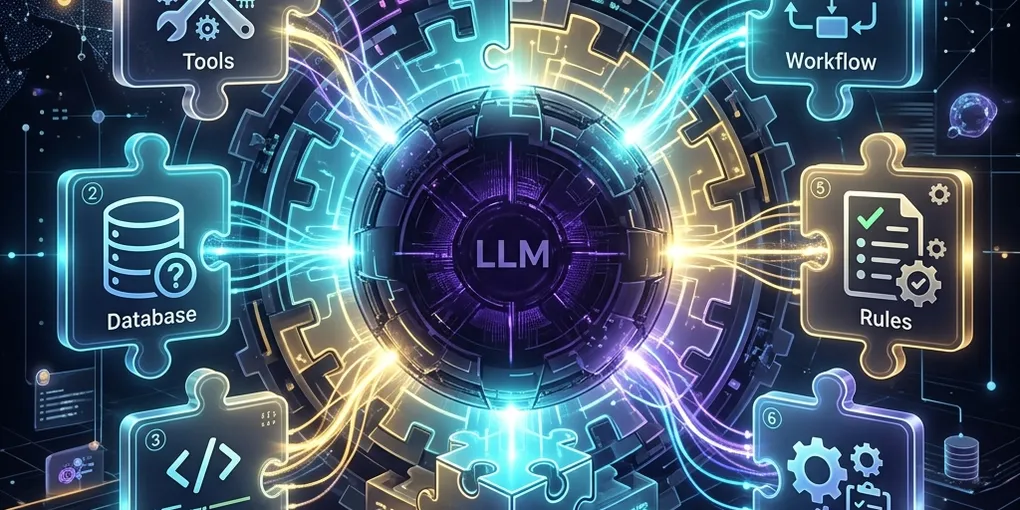
An LLM on its own is like a brain without limbs—brilliant in isolation, but entirely unable to impact the physical or digital world.
To build true Autonomous Agents, we must shift our focus away from model size and prompt engineering towards Agentic Enablement. By coupling an LLM’s reasoning engine with modular Skills (Plugins) and persistent identity configurations (agent.md), we can build software that doesn’t just suggest solutions—it executes them.
🏗 The Architectural Formula: Agent = LLM + agent.md + Skills
In production-ready agent environments, we structure our local systems around three core layers:
┌────────────────────────────────────────────────────────┐
│                      AGENT FRAMEWORK                   │
├────────────────────────────────────────────────────────┤
│                     1. REASONING CORE                  │
│                     [ Gemini / Claude ]                │
│                              │                         │
└──────────────────────────────┼─────────────────────────┘
                               ▼
┌────────────────────────────────────────────────────────┐
│                     2. IDENTITY & RULES                │
│                 [ .agents/agent.md Config ]            │
│  - System Directives     - User State                  │
│  - Workflow Guidelines   - Active Session Memory       │
└──────────────────────────────┼─────────────────────────┘
                               ▼
┌────────────────────────────────────────────────────────┐
│                     3. PHYSICAL CAPABILITIES           │
│                    [ Modular Agent Skills ]            │
│  - Web Automations       - System Shells               │
│  - APIs (MCP Servers)    - DB Read/Writes              │
└────────────────────────────────────────────────────────┘
📄 1. The Blueprint: agent.md
The agent.md file acts as the configuration blueprint and long-term memory of the agent. Located inside your project’s workspace, it governs the agent’s behavior, holds user preferences, and defines scope constraints.
Without agent.md, every time you launch your development assistant, it enters a state of complete amnesia. It doesn’t know who you are, what technology stack you prefer, or what guidelines to follow for code styling.
Example agent.md Structure
# Agent Persona: DevOps & SRE Specialist

## System Guidelines
* Always run automated tests (`npm run test` or `pytest`) before declaring a task finished.
* For database operations, prioritize raw PostgreSQL/SQL statements over ORMs.
* Do not update codebases without drafting an implementation plan first.

## User Context
* User: Harshal Nikure
* Target Company: Evonence (Senior DevOps/Platform Engineer)
* Key Technologies: GCP, AWS, Kubernetes, Terraform, Go, Playwright, Astro

## Active Workflow Rules
* Keep track of background tasks using the `/manage_task` pipeline.
* Maintain a date-wise CSV log of portfolio performance using the local `update_daily_portfolio.py` tool.
By reading this file on initialization, the agent instantly aligns its reasoning loop to match the workspace requirements.
🛠 2. The Limbs: Modular Skills & MCP (Plugins)
A Skill is a self-contained, executable script, directory, or tool description that extends what the agent can actually do.
Using the Model Context Protocol (MCP), skills are exposed to the agent as queryable functions. When the agent realizes it needs information outside of its static weights, it invokes the corresponding tool.
Case Study: Automating Attendance & Portfolios
Consider these two real-world tasks automated in our local workspace:
A. Keka Attendance Skill (keka_attendance.py)
Rather than telling the user to log in and click “Clock-In”, the agent runs a Python script powered by Playwright:
- It launches a browser context.
- It detects if the active session is cached. If not, it requests manual user authentication once, then caches cookies.
- It clicks the “Web Clock-In” button, captures a confirmation screenshot, and logs the execution.
B. Zerodha Portfolio Ledger (update_daily_portfolio.py)
To track stock holdings, the agent:
- Queries the Kite OMS endpoint using cached credentials.
- Performs a web search to extract the market drivers (e.g. RBI rate decisions, Q4 profit jumps).
- Updates
daily_portfolio_summary.csvdate-wise.
Both capabilities are defined as reusable script units. The LLM simply acts as the orchestrator—understanding the user’s intent (“do clock in” or “check portfolio”), selecting the correct script skill, and parsing the outcome.
🤝 How to Chain Them for True Autonomy
When you combine a reasoning engine, a persistent identity (agent.md), and local tools (Skills), you can achieve complex, chained workflows that run end-to-end without human intervention.
[User Request] "Scan my feed, summarize jobs, and write a blog post announcement."
       │
       ▼
[agent.md] Directs the style, locations, and execution rules.
       │
       ▼
[Skill 1: Playwright Scraper] Scrapes LinkedIn feed and job boards.
       │
       ▼
[Reasoning Core] Filters listings, identifies hot keywords (e.g. Kubernetes, GitOps).
       │
       ▼
[Skill 2: File Writer] Compiles, generates assets, and builds Astro frontend blog page.
       │
       ▼
[Skill 3: Git & Deployment] Commits changes and pushes to GitHub to deploy live.
🏁 Summary
The magic of modern AI isn’t in the model’s ability to chat; it is in its ability to act.
By transitioning from a simple chat interface to an agentic system built on:
agent.mdconfigurations for stateful context and rules.- Modular Skills for command execution, browser automation, and API integration.
We transform LLMs from passive text-generators into proactive, autonomous team members capable of maintaining infrastructure, tracking portfolios, and writing content.
Stop chatting with your AI. Configure its agent.md, build its skills, and let it run. 🚀