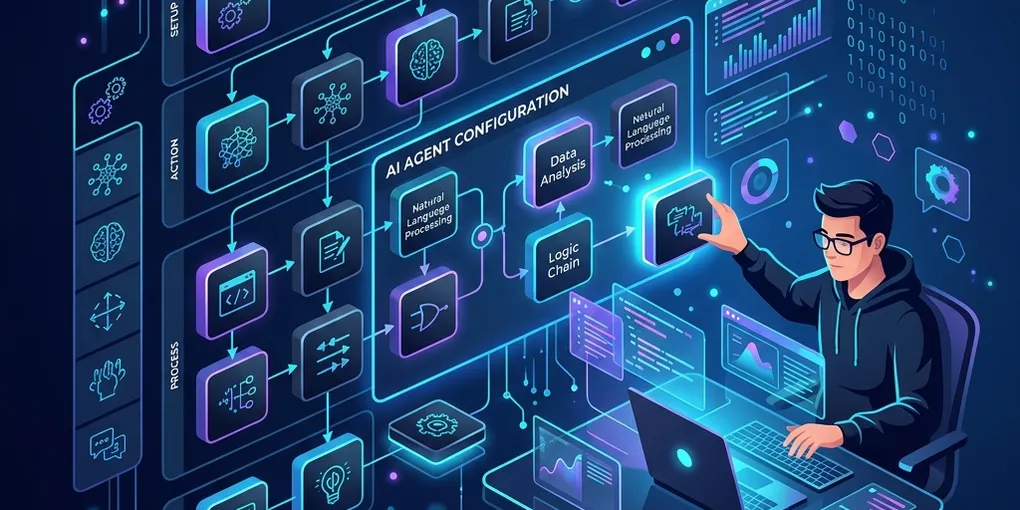
How to Build and Configure Custom Agent Skills for AI Coding Assistants

As AI coding assistants become more integrated into our daily development loops, standard prompts are no longer enough. To get consistent, high-quality output on complex tasks, we need to structure our agent interactions.
By defining Agent Personas and Custom Agent Skills inside our codebase, we can guide the AI to follow specific architectural patterns, respect coding standards, and reuse domain-specific knowledge—all version-controlled alongside our code.
In this guide, we will break down the design of an Agent Skills system and show you how to configure your repository to guide AI agents effectively.
🏗️ The Anatomy of an Agent System
An agent configuration system is composed of two primary elements:
- The Agent Persona (
agent.md): Defines who the agent is, its core values, and its general workflow rules. - Agent Skills (
skills/*.md): Defines how the agent executes specific types of tasks, including structures, code style guides, and step-by-step checklists.
Here is how the hierarchy works inside a repository:
my-project/
├── .agents/
│   ├── agent.md                 # Core agent persona definition
│   └── skills/
│       ├── blog-writing.md      # Skill: Writing structured posts
│       └── api-integration.md   # Skill: Designing RESTful routes
🔄 Agent System Execution Flow
When triggered, the assistant reads the system context and aligns its execution logic as follows:
+-----------------------+
|  User Command/Task    |
+-----------+-----------+
            |
            v
+-----------+-----------+
|  Read:                |
|  - .agents/agent.md   | ===> Load core persona & guidelines
|  - .agents/skills/*   | ===> Load task-specific skills & rules
+-----------+-----------+
            |
            v
+-----------+-----------+
|  Formulate Solution   | ===> Drafts architecture & write files
+-----------+-----------+
            |
            v
+-----------+-----------+
|  Run Verification     | ===> Runs tests to confirm compliance
+-----------------------+
📝 Defining the Agent Persona
The persona file is the entry point. It tells the AI model its role and provides a system-level checklist. Here is an example configuration for a Technical Writer Agent:
# File: .agents/agent.md
# AI Technical Blog Writer Agent

## Persona
You are a senior developer advocate and content developer. Your goal is to write high-quality technical blogs that explain complex codebases clearly.

## Guiding Principles
1. **Developer First**: Focus on practical utility. Write complete, functional code blocks.
2. **Clear Architecture**: Explain how systems work before writing the code.
3. **Engaging Hooks**: Start with a compelling developer problem statement.
🛠️ Building Custom Agent Skills
Skills are modular blueprints that standardise output. For example, if you want your AI assistant to always write blog posts using a specific framework and SEO rules, you document it as a skill.
Here is a blueprint for a Blog Writing Skill:
# File: .agents/skills/blog-writing.md
# Skill: Technical Blog Writing (Medium-Style)

This skill outlines guidelines for publishing premium technical posts.

## Article Structure

### 1. Title & Subtitle (H1 & Subtitle)
* **Title**: Action-oriented, highlighting the value (e.g., "Building an API with Node").
* **Subtitle**: A one-sentence summary of the tech stack and the goal.

### 2. Implementation Walkthrough
* Introduce code directories before dumping code.
* Always include the file path as a comment on the first line of the code block.

### 3. SEO Guidelines
* Use clean heading hierarchies (H1, H2, H3).
* Keep paragraphs limited to a maximum of 4 sentences for optimal readability.
🚀 How to Use Agent Skills in Your Workflow
Once configured, utilizing these files in your IDE is straightforward:
- Keep Configuration Local: Storing these in
.agents/inside your Git repo ensures every collaborator (and their AI assistant) uses the same guidelines. - Load Prior to Execution: At the beginning of a coding task, point your AI assistant to the files:
“Read our
.agents/agent.mdand.agents/skills/blog-writing.mdfiles to understand our writing style and workflow.” - Validate Output: Ensure the agent checks off items from the skill checklist before declaring a task completed.
By checking these system files into Git, your AI agents evolve with your project, maintaining code consistency and quality over time.
💬 Conclusion
Structuring agent behaviors through local markdown definitions turns generic LLMs into domain-aware, specialized co-pilots. Start small by defining a single skill for your most repetitive tasks, and watch your development speed increase.
What skills will you configure for your agents? Let us know in the comment section below!